Invite Team Members
Learn how to invite a new team member to your workspace.
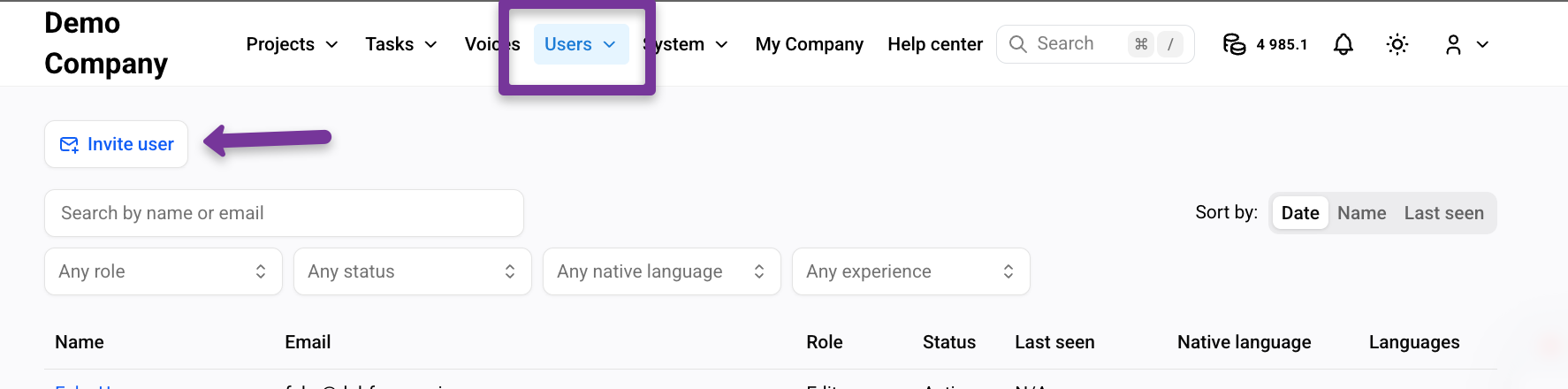
Go to Users tab.
Click Invite user.
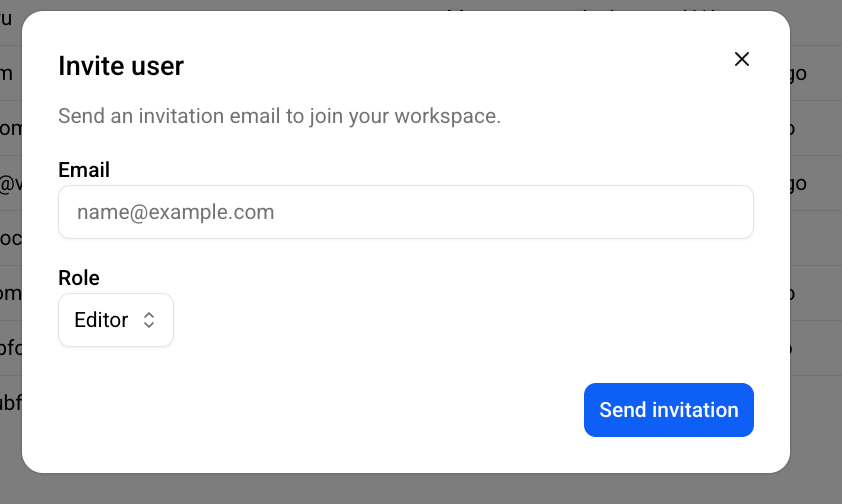
Enter the user’s email address to send an invitation to join the workspace. Select the user’s role.
The invited user receives an email from Dubformer Studio:
Hello,
You have been invited to join the [Your company name] workspace as a [Role] in Dubformer Studio. Click the link below to accept the invitation:
Accept invitation
This invitation will expire in 7 days.
After the invitation is sent, a Pending invitations panel becomes available.
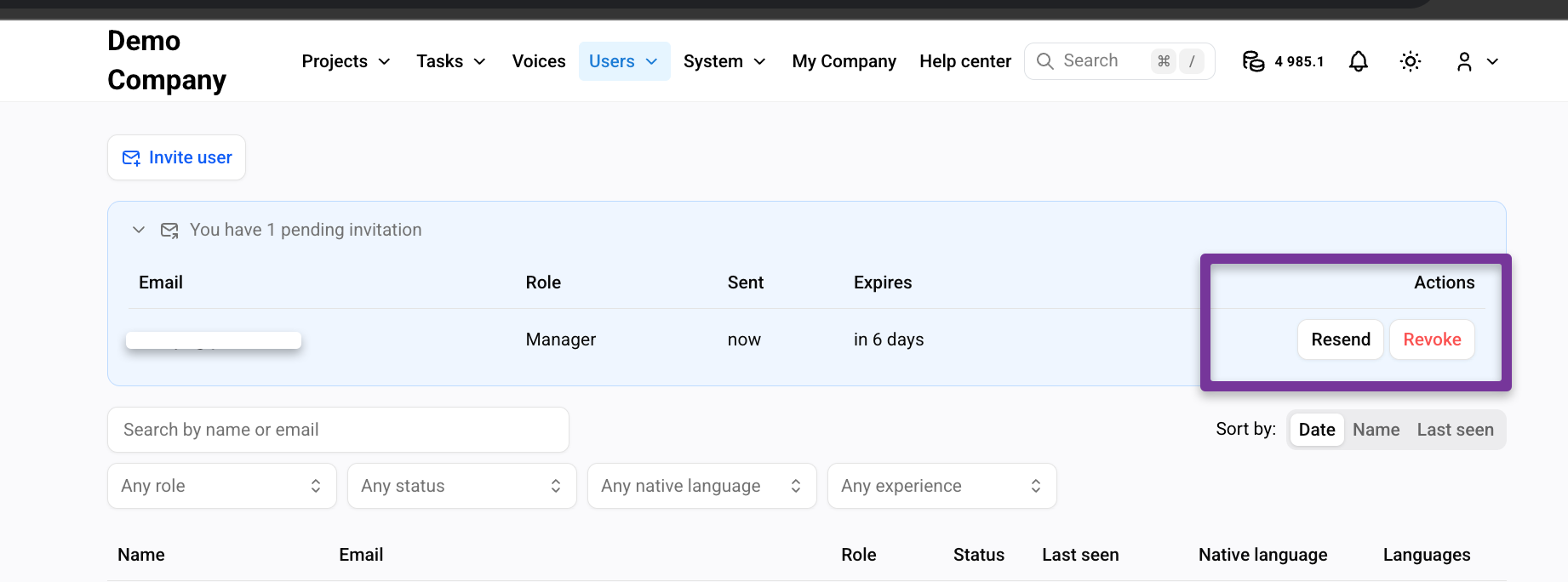
The invitation link remains active for 7 days.
Click Resend to send the invitation again.
Click Revoke to cancel the invitation.
The Pending status disappears once the invitation is accepted.