Reuse chunks across projects (TTS preset)
The TTS preset option lets you save voiced chunks and reuse them within a single video or across multiple videos.
A preset is a folder of saved phrases: each saved chunk keeps its audio and text exactly as voiced, including the emotion and speed settings.
This is useful when:
Different videos share the same intro or outro.
A speaker repeats the same phrases — for example, a trainer's cues in fitness videos.
The same lines appear in several scenes, such as flashbacks.
Instead of re-generating and re-tuning the same line every time, save it once and apply it wherever it's needed. This keeps the voice consistent and saves generation time.
Availability
TTS presets are available in Lip-sync and AD (audio description) tasks.
Save a chunk to a preset
Open the task.
Select the chunk with the sound you want to keep.
Click Chunk actions → TTS preset.
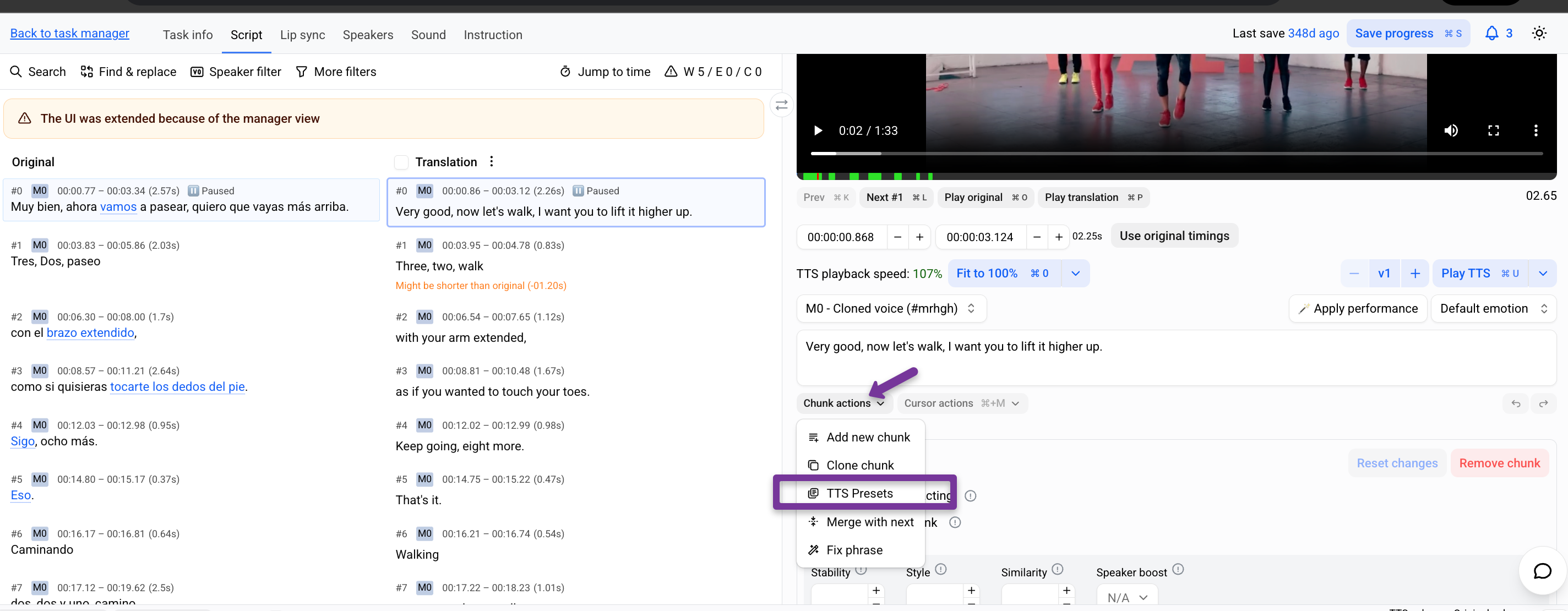
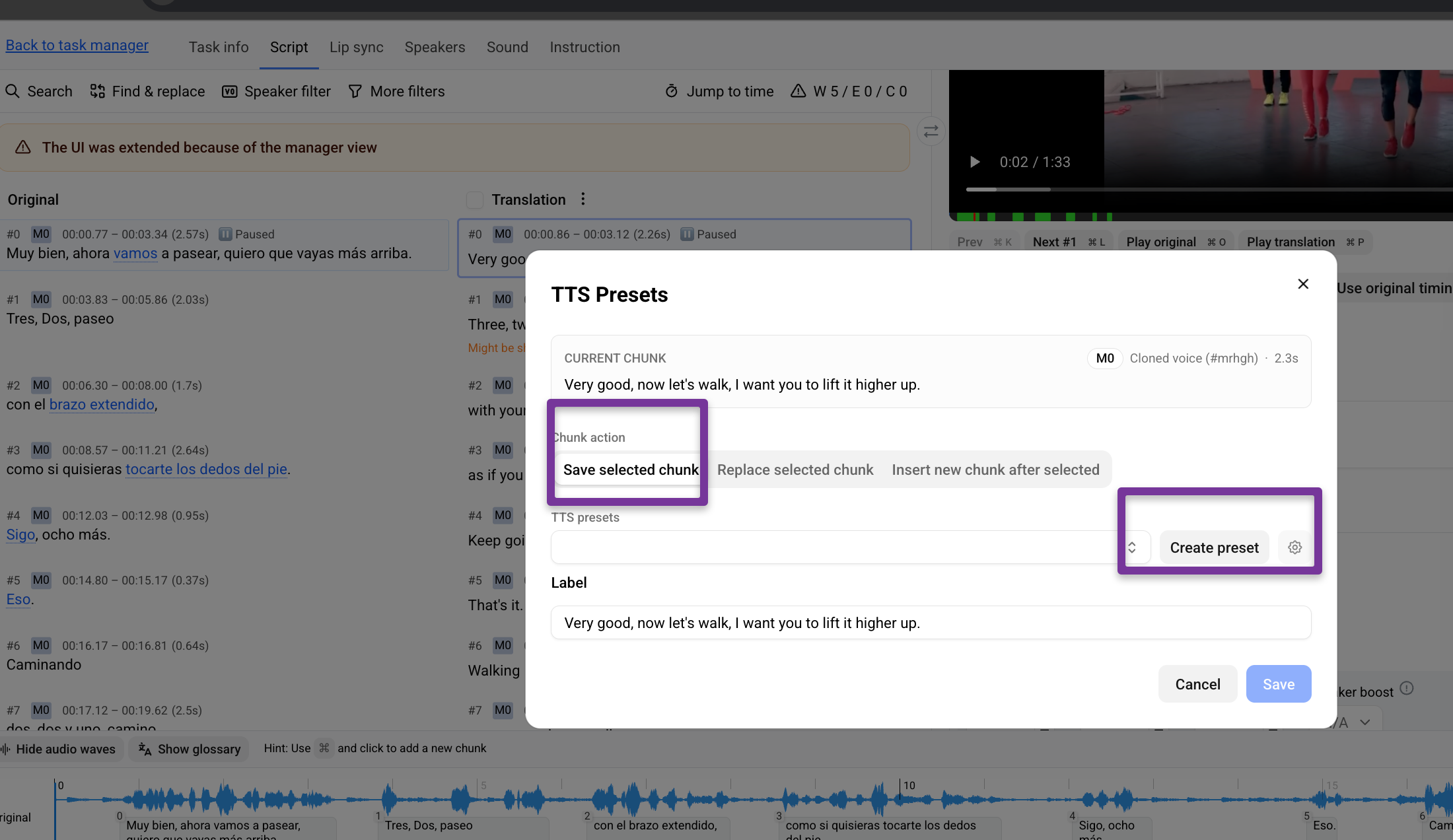
Select Save selected chunk.
Choose the preset to save the chunk into, or click Create preset to make a new one.
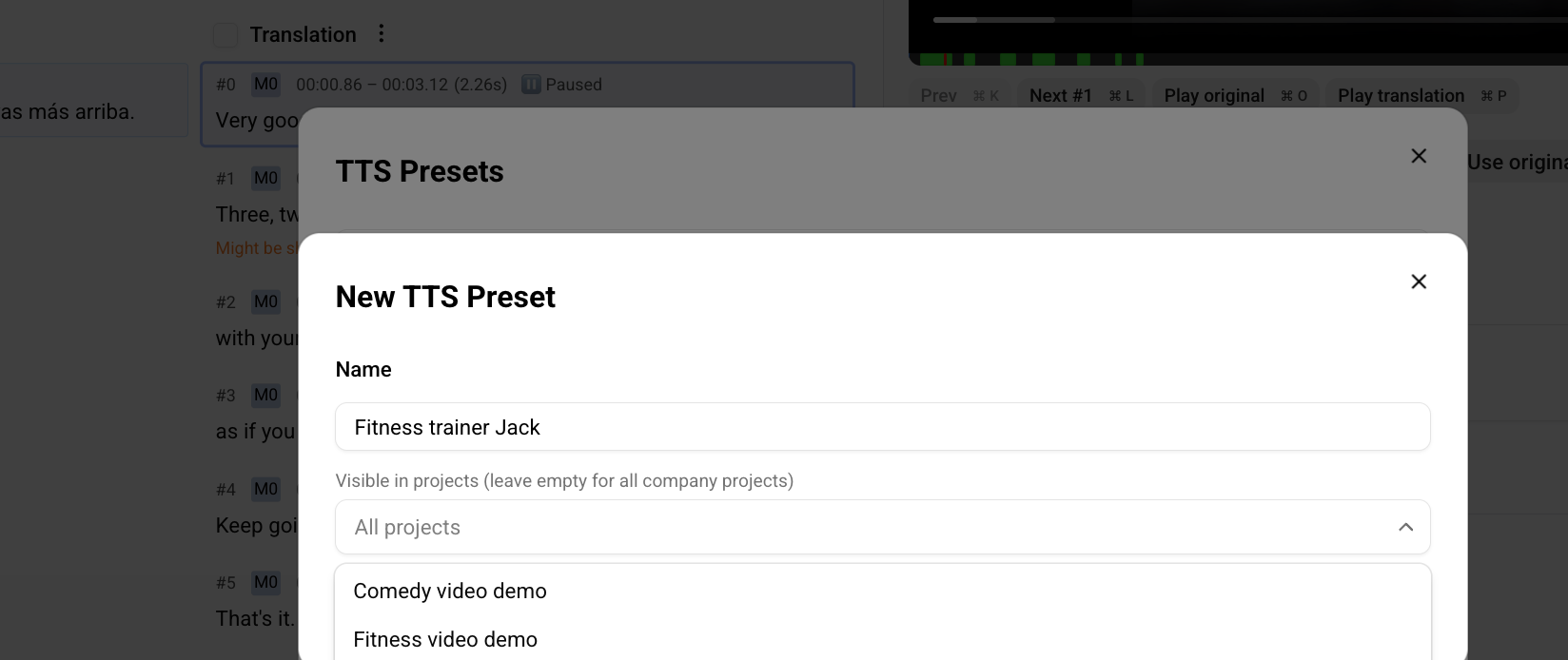
If you're creating a new preset, enter its name.
In Visible in projects, choose which projects can use the preset. Leave the field empty to make it available in all of your company's projects.
Click Create.
The chunk — its audio and text, with the same emotion and speed — is now saved to the preset and can be reused in any project you selected.
Apply a preset
Select the chunk you want to replace with a phrase from a preset
Click Chunk actions → TTS preset.
Select Replace chunk with preset.
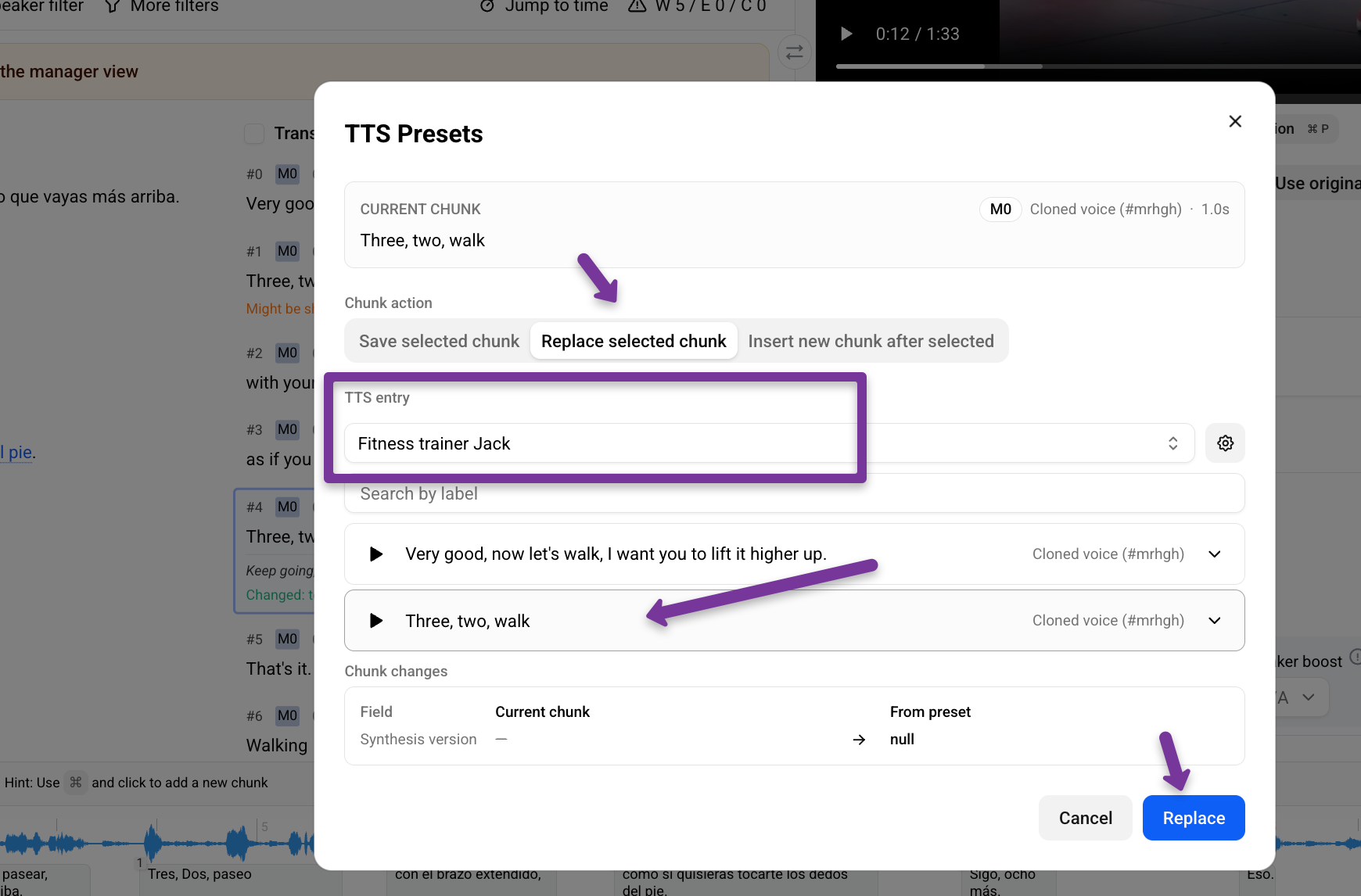
Choose the phrase you need from your saved presets.
The chunk's audio and text are replaced with the saved version, keeping its original emotion and speed.
Was this helpful?
Still need help? Share an idea