Project presets
Save a project setup as a preset so anyone in your company can start new projects from it.
Create a Project Preset
Step 1: Set up the project
Go to Projects → Create project. Fill in the fields you want to reuse: manager, client, glossaries, project type, languages and work plan settings.
You don’t need to upload source media. Media files are not saved in presets.
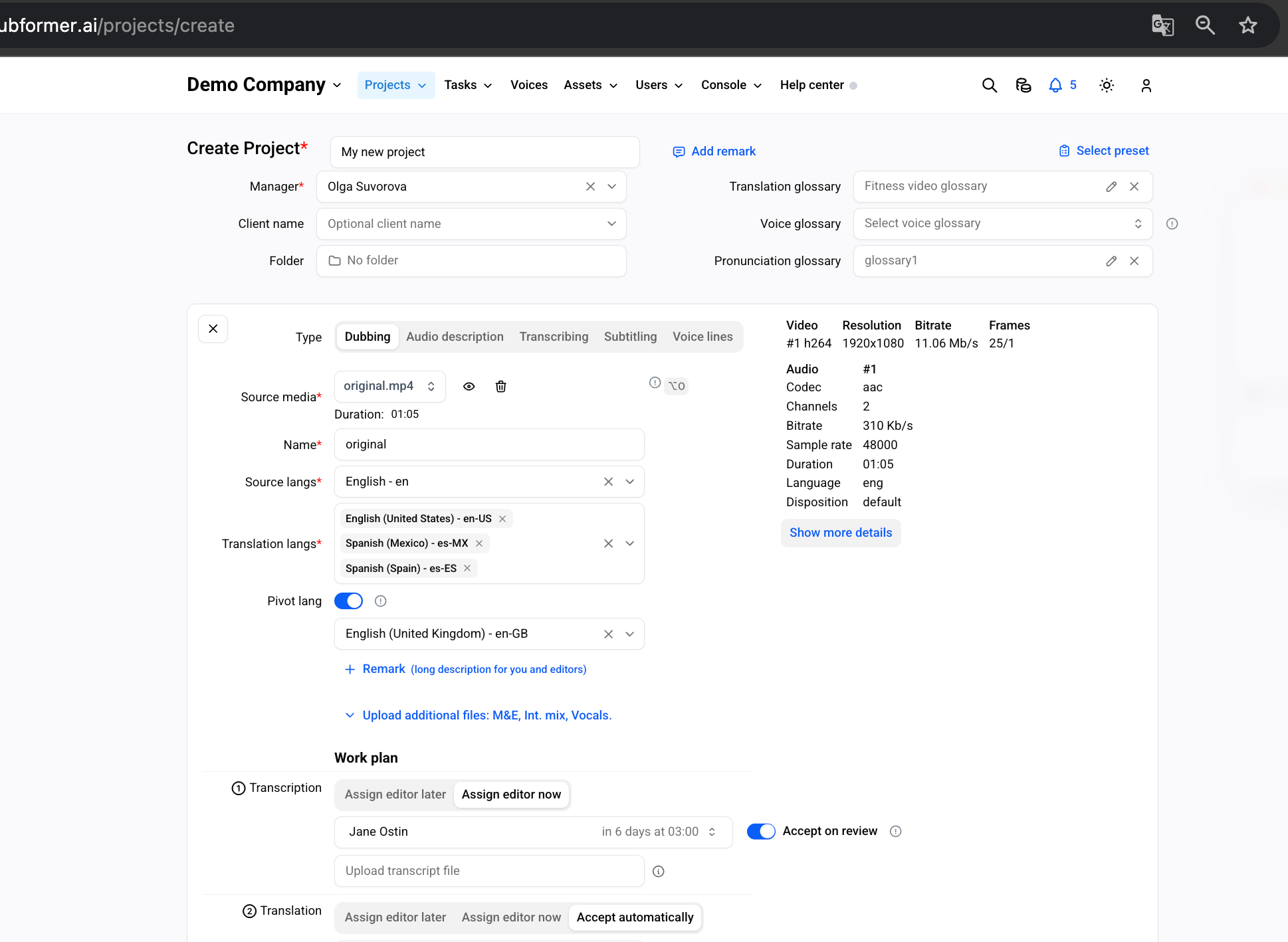
Step 2: Click Save as preset
Scroll to the bottom of the form and click Save as preset next to Create project.
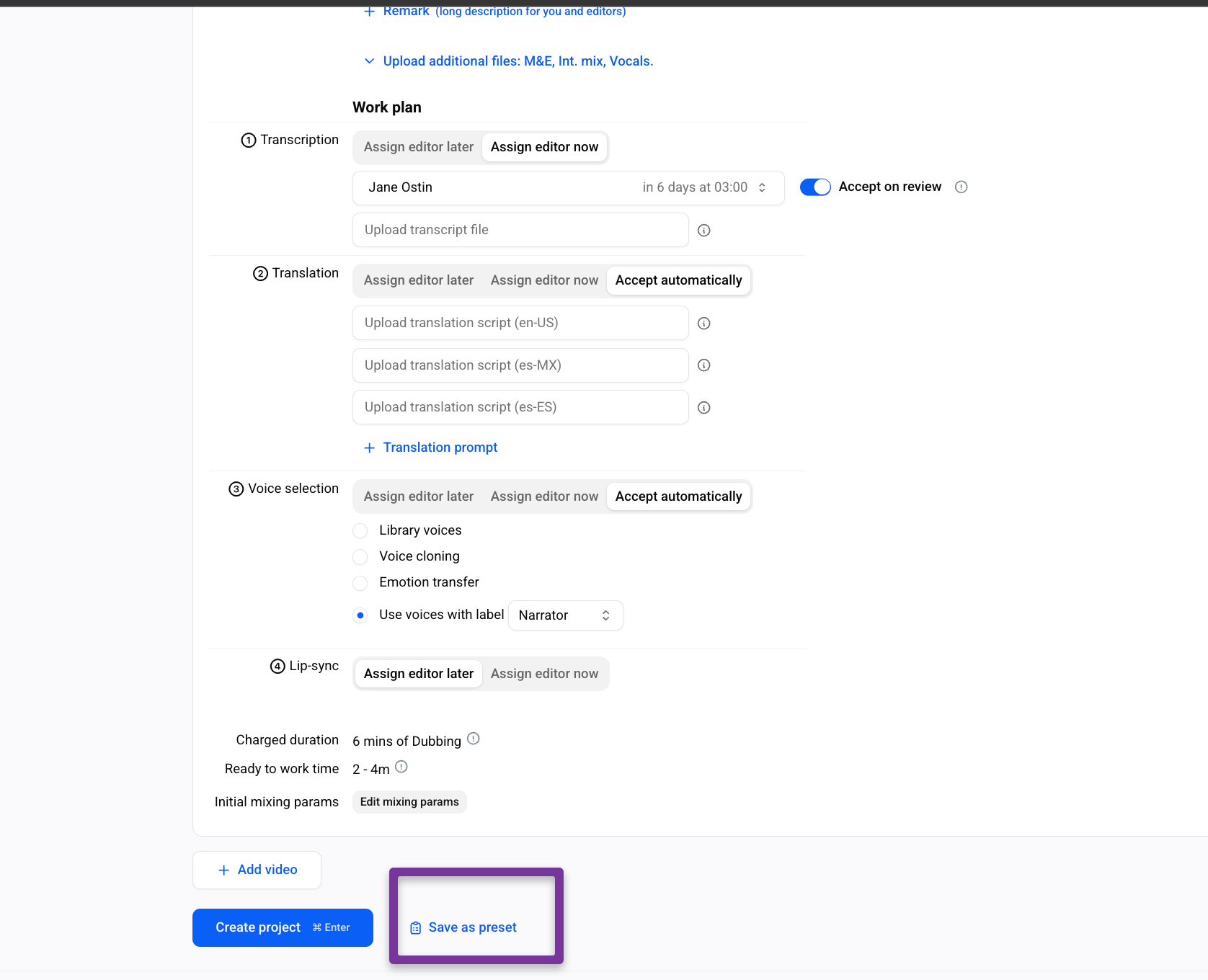
Step 3: Name the preset and choose a folder
In the New preset window, enter a preset name. To keep presets organized, click No folder and pick a folder.
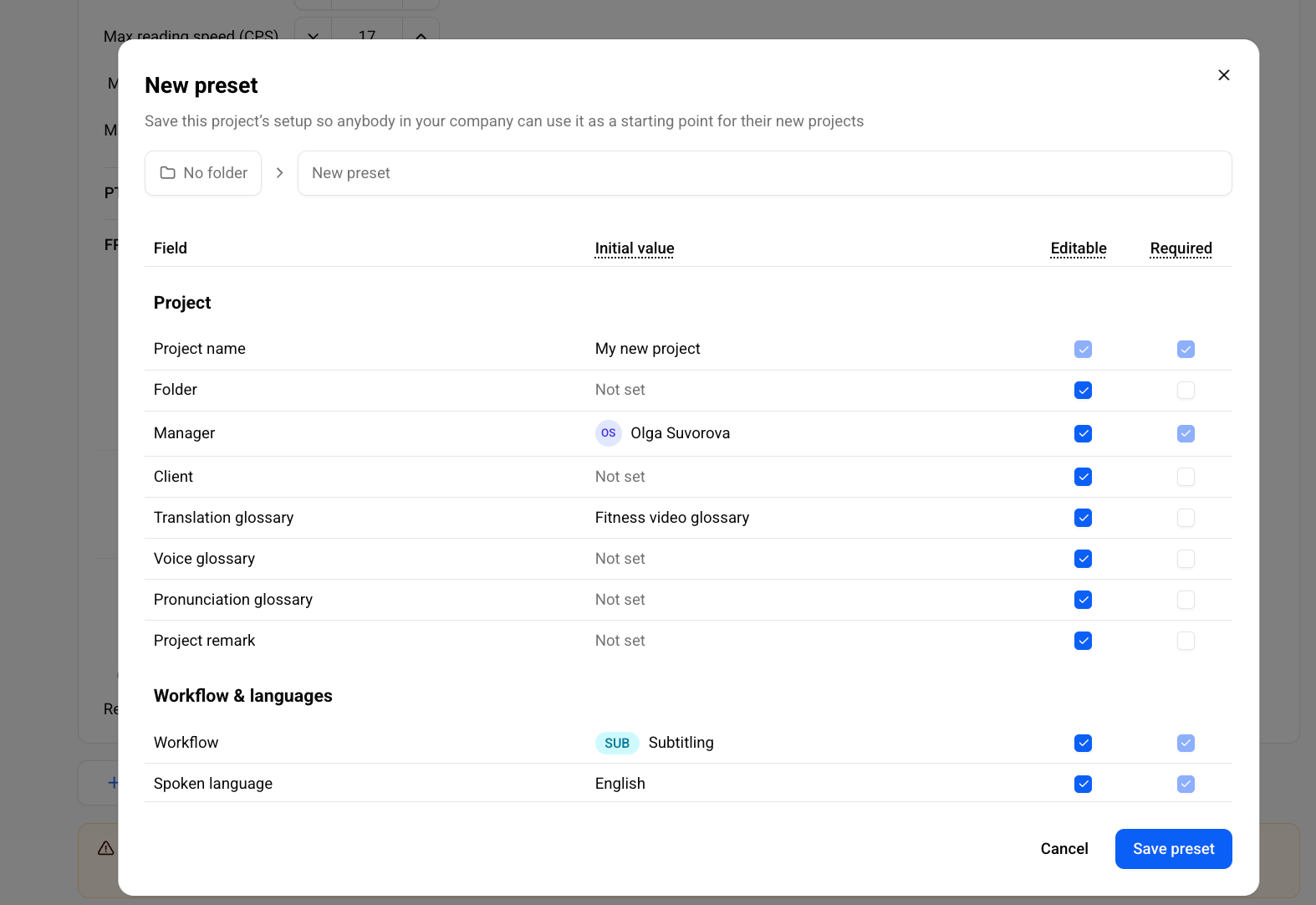
Step 4: Set the rules for each field
The table lists every field from your setup with its Initial value. For each field, set:
Editable – users can change the value when they apply the preset. Clear the checkbox to lock the value.
Required – users must fill in the field before they create the project.
Some fields, such as Project name and Manager, are always required. You can’t change their checkboxes.
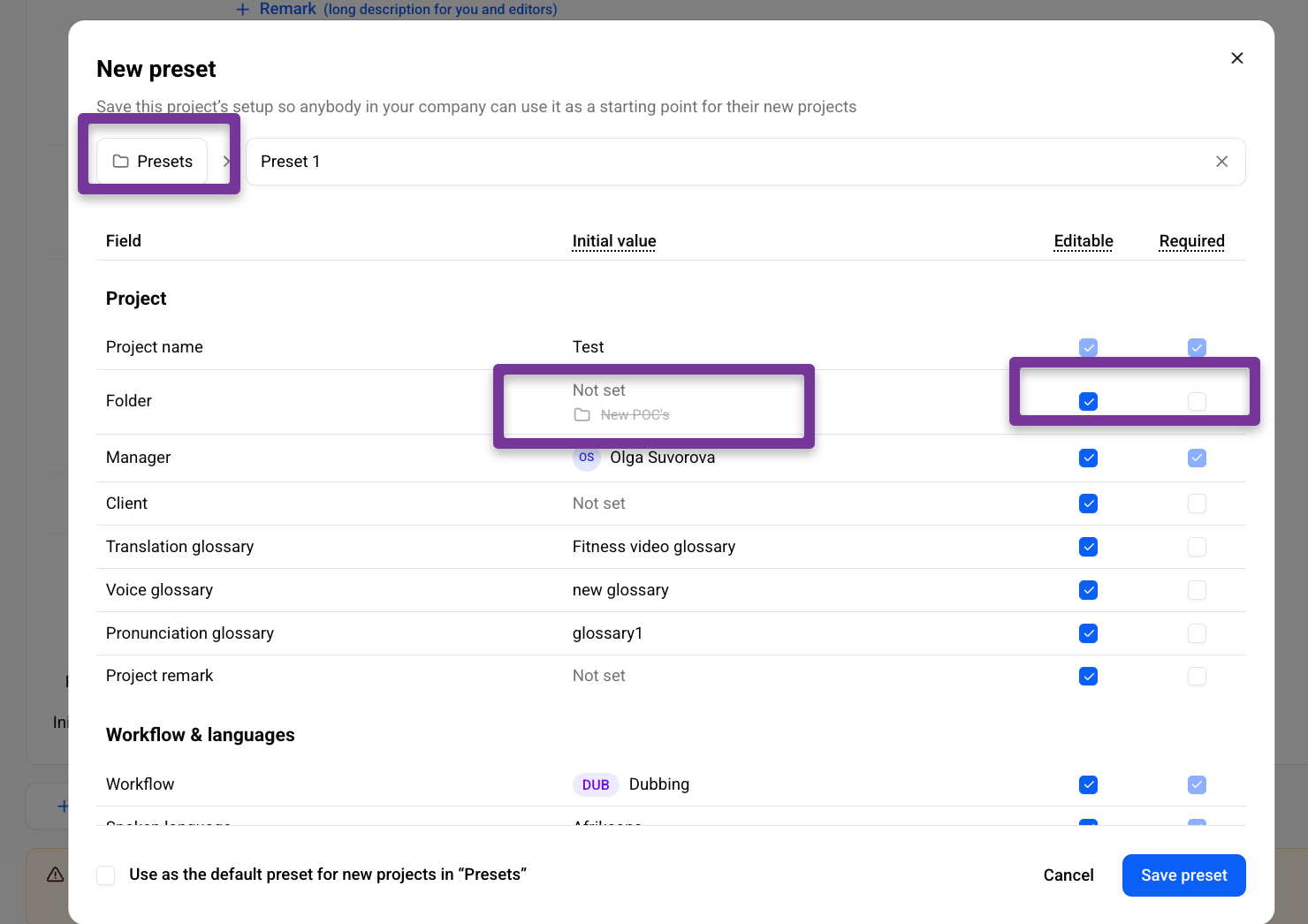
Step 5: Save the preset
Click Save preset. The preset is now available to everyone in your company.
Note: To change a preset, set up the form again and save it under the same name.
Start a Project from a Preset
Apply a saved preset to fill the Create Project form in one click. After that, you only need to add the video.
Step 1: Open the Create Project page
Go to Projects → Create project.
Tip: Apply the preset before you fill in any fields. Applying it resets everything you’ve entered.
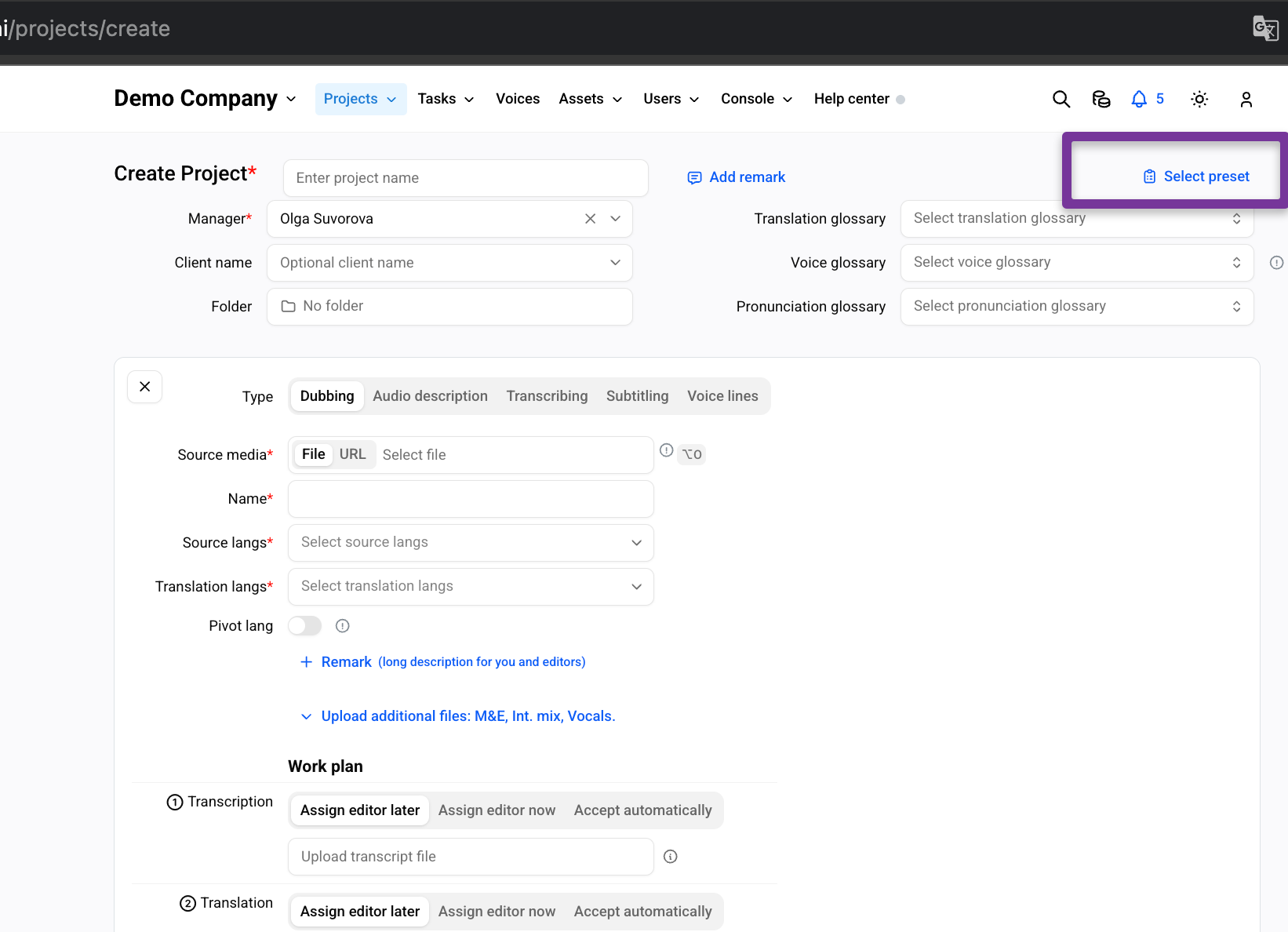
Step 2: Click Select preset
Click Select preset in the top-right corner of the form.
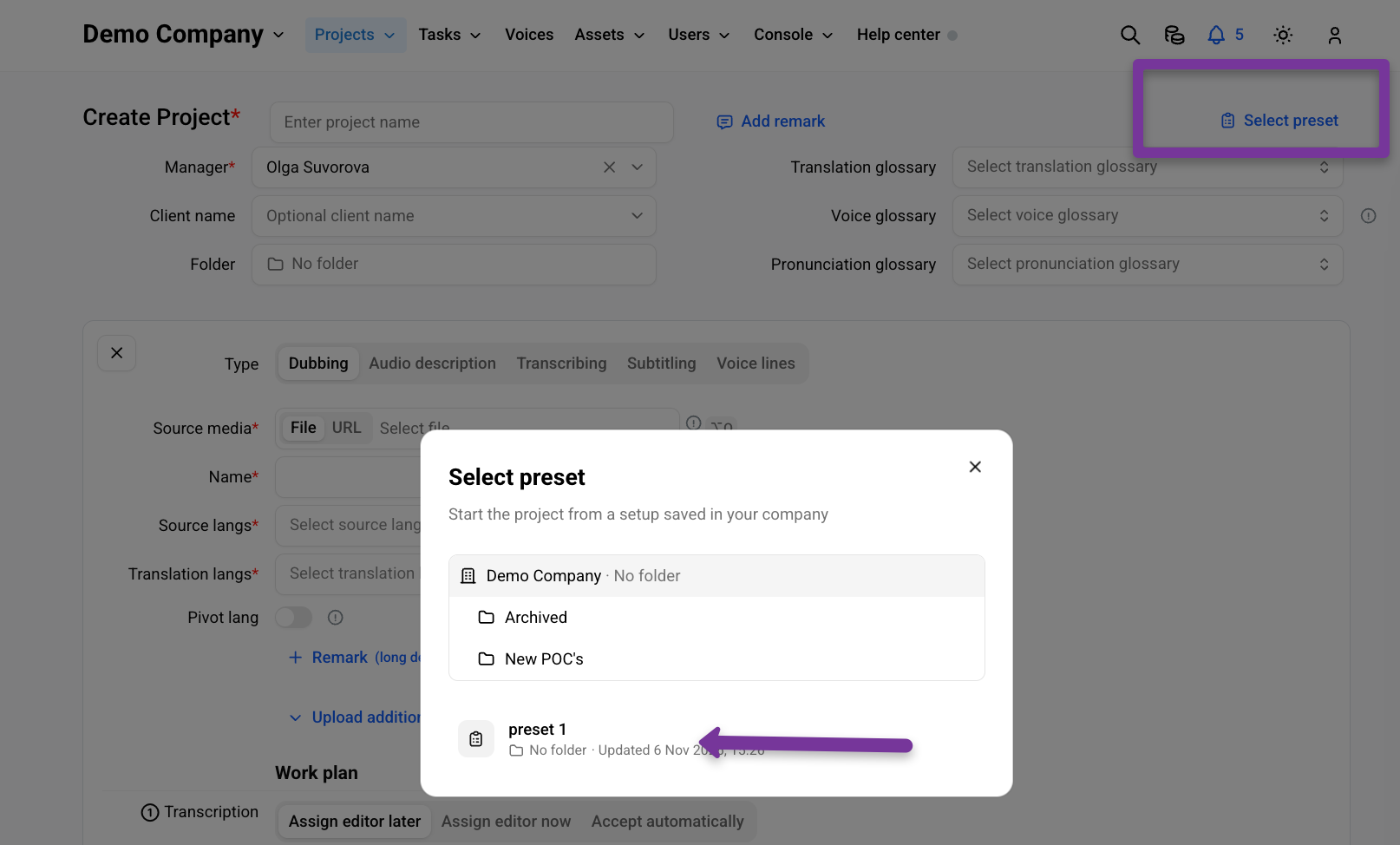
Step 3: Choose a preset
In the Select preset window, open the folder where the preset is stored and click it. Presets that aren’t in a folder appear under your company name.
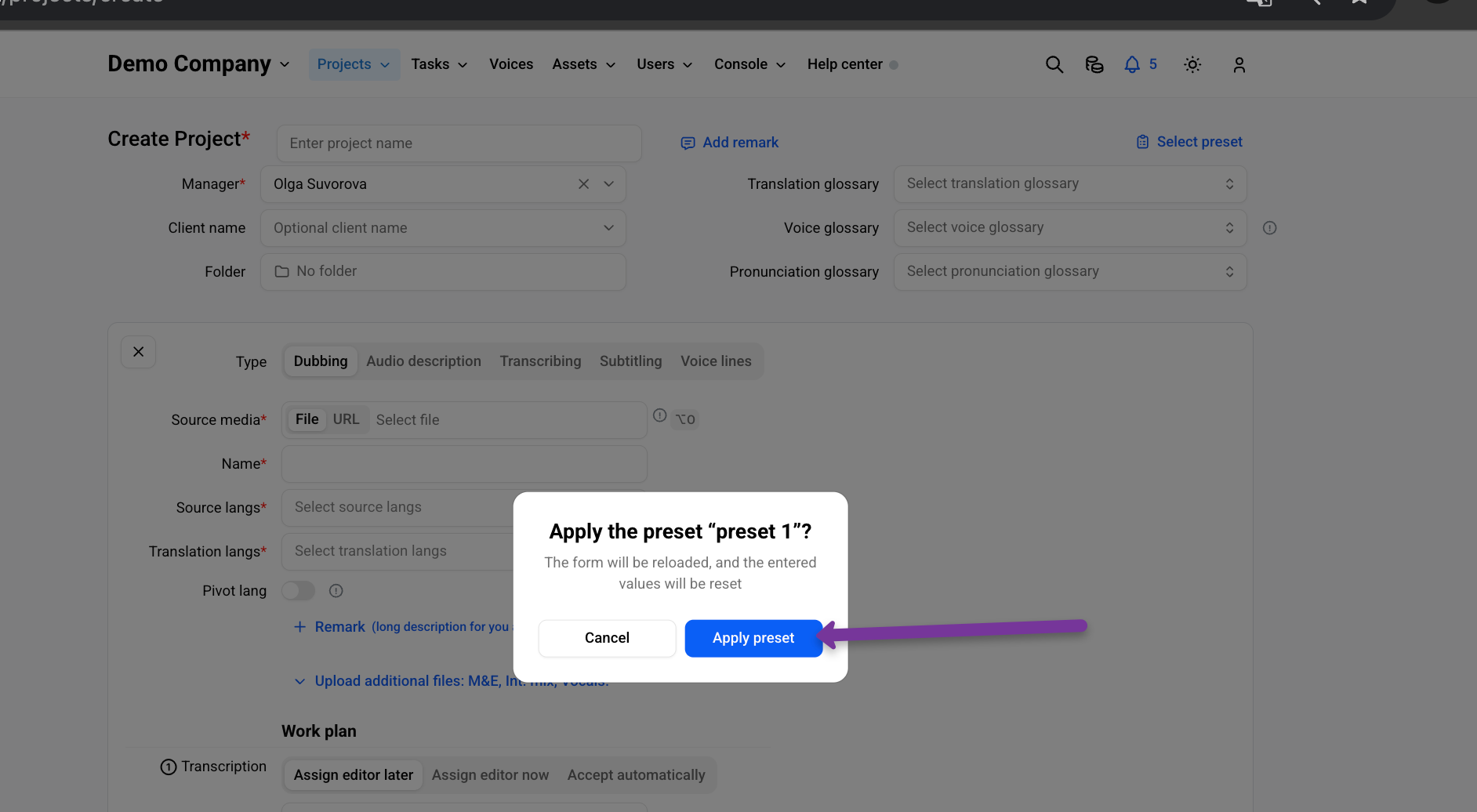
Step 4: Confirm
Click Apply preset. The form reloads with the preset values.
Step 5: Complete the project
Upload the Source media, enter a Project name and fill in any other required fields. You can change any field the preset owner made editable.
Click Create project.
Was this helpful?
Still need help? Share an idea