Reuse AI-Generated Audio Across Chunks
Use chunk cloning when a synthesized result sounds exactly right and needs to be reused — for example, in flashback scenes, repeated dialogue, or recurring lines.
How it works
Open the chunk to clone.
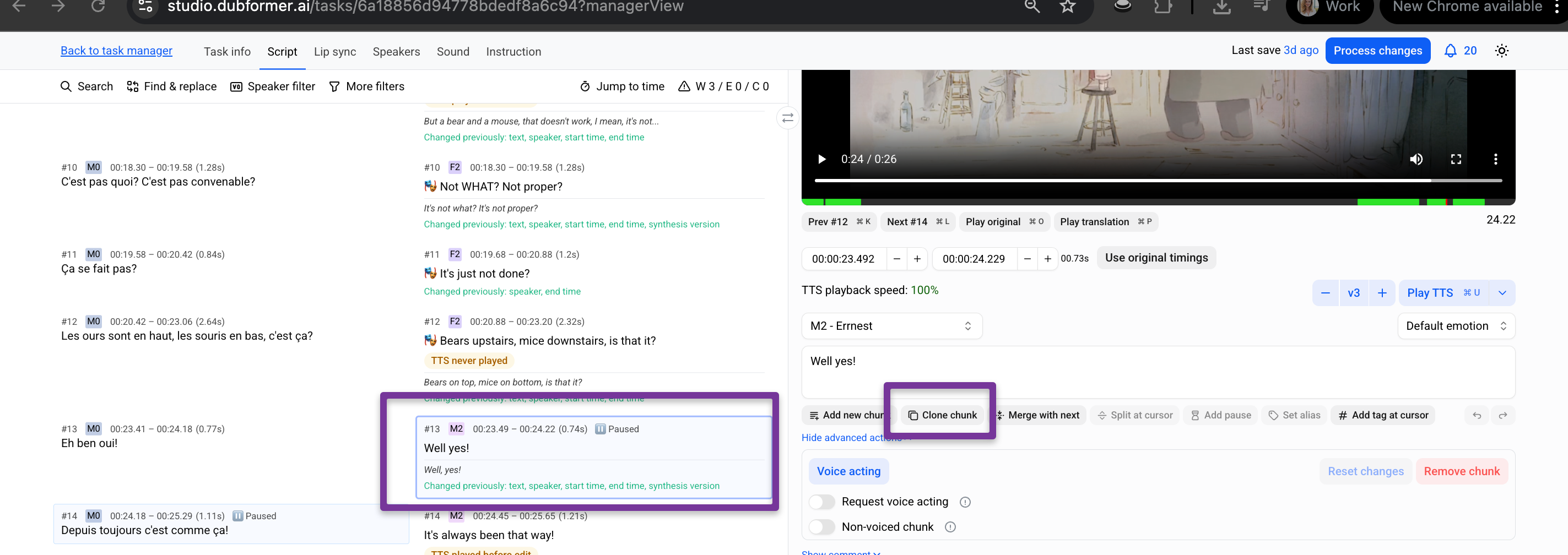
Click Clone chunk.
In the pop-up window, select the target chunk:
Choose an existing chunk to replace.
Or select a chunk after which the cloned chunk should be inserted as a new chunk.
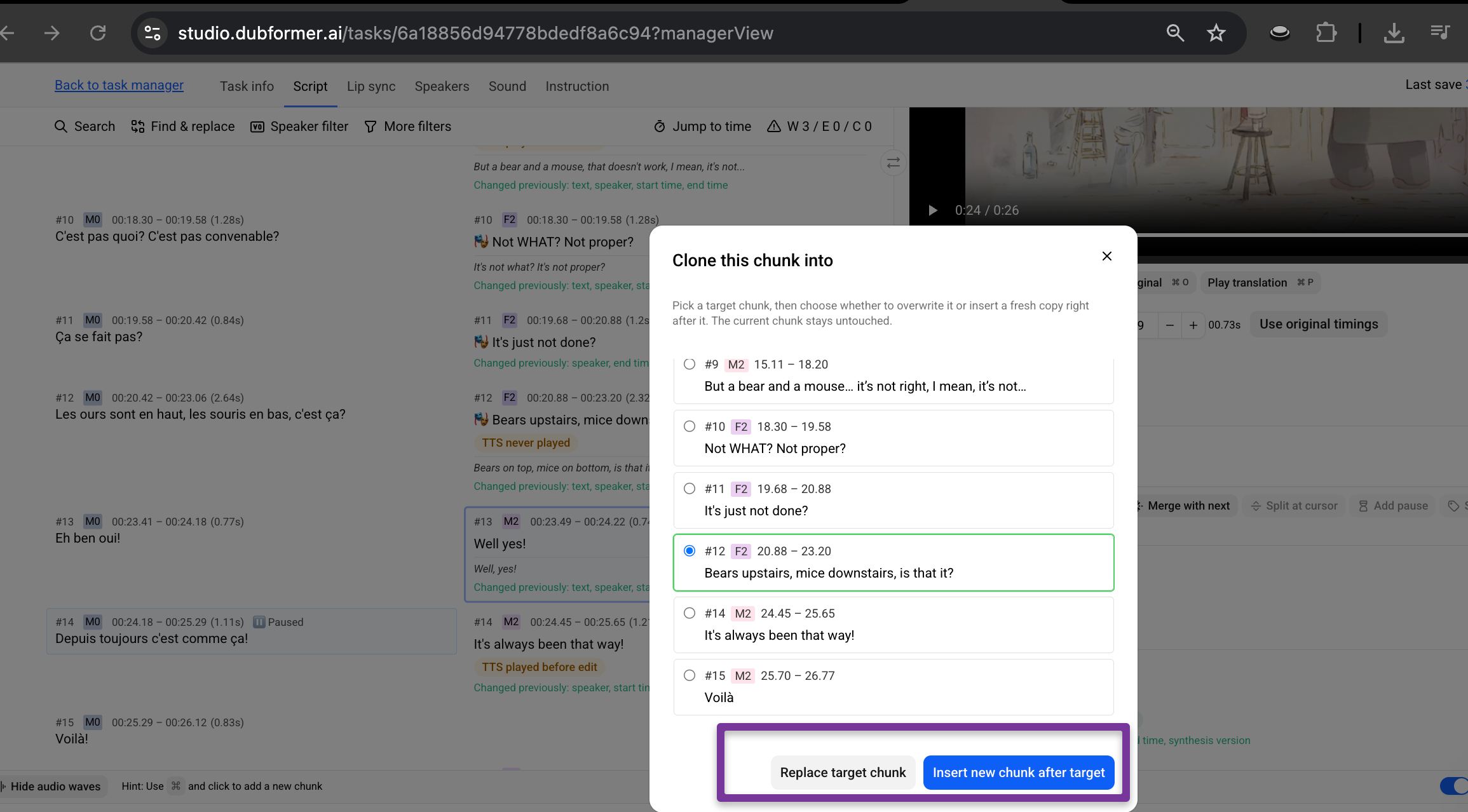
Replace target chunk to overwrite the selected chunk.
Or Insert cloned chunk after target to add it as a new chunk.
What gets cloned
The cloned chunk keeps the same AI-generated result, including:
playback speed
synthesis characteristics
Note
After cloning, the new chunk becomes independent.
If changes are made to the cloned chunk later, it will behave like a separate new chunk and can be edited or reprocessed independently.
Was this helpful?
Still need help? Share an idea