Changelog

Follow new updates and improvements to Dubformer Studio.

Emotion Transfer now includes a new Performance mode.
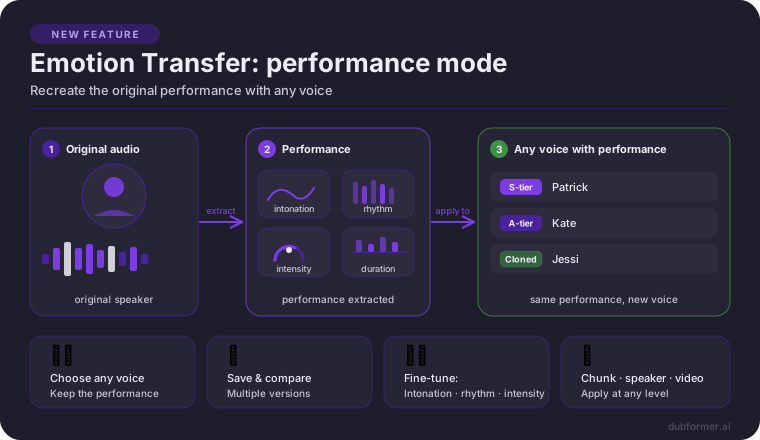
In addition to recreating the original speaker’s voice and performance, Emotion Transfer can now recreate the original chunk’s performance with any supported voice.

Choose the voice that fits the content, character, or localization direction while keeping the original delivery — including intonation, rhythm, intensity, and duration.

Why it matters

With this update, it is possible to:

  • choose any supported voice while keeping the delivery of the original speech;

  • save several generated takes and compare them before selecting the best one;

  • fine-tune intonation, intensity, variation, and duration;

  • recreate performance chunk by chunk, in bulk, or directly to speakers.

There is no need to choose between the right voice and the right performance. The original delivery can be preserved while using a different supported voice, giving more control over casting, style, and final dubbing quality.

Availability

Performance Mode is available for S-tier, A-tier, Expressive cloned, Standard cloned, and Voice Design voices.

Supported target languages and locales: English (US), English (British), German, Spanish (Castilian), Spanish (Latin American), French (Parisian), Italian and Russian.

Learn more

For setup details and usage guidance, see the documentation
Export a single TTS chunk as WAV

What’s new
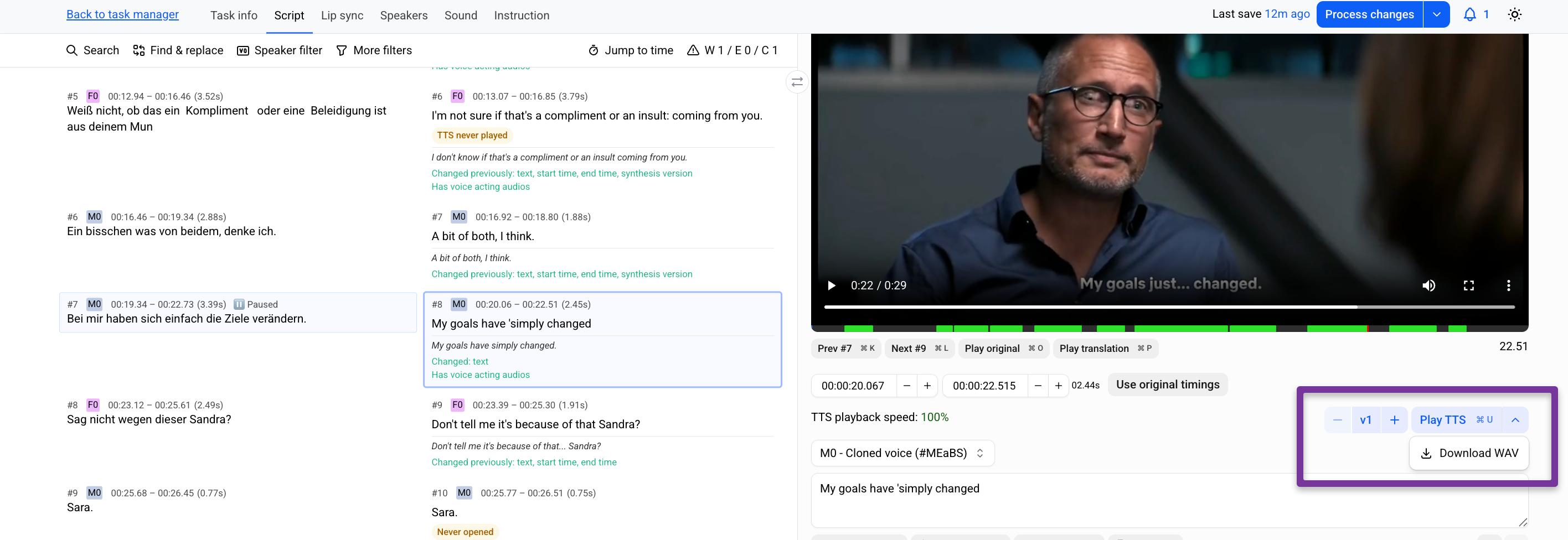
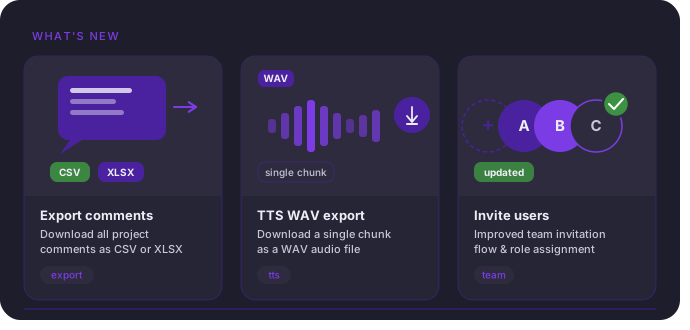
Export a single TTS chunk as WAV—no full video reprocessing required.

Why it matters
Fix one chunk, export it, and continue the mix in Pro Tools without waiting.

How it works

  1. Edit the chunk.

  2. Click Generate TTS.

  3. Save progress.

  4. Open the menu next to Play TTS → Download WAV.

Full article in the Help center

Export comments from Prooflistening/Lip sync tasks

What’s new

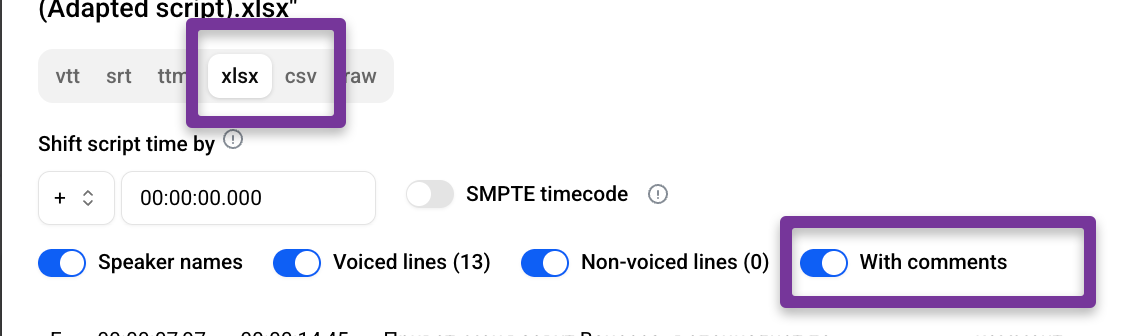
Chunk comments can now be exported with scripts (XLSX, CSV).

Why it matters
Comments can now travel with the script—making it easy to share feedback, notes, and revision context with teams or clients outside the platform.

How it works

  1. Open a Lip-sync or Prooflistening task.

  2. Select a chunk.

  3. Leave your comments

  4. Save your progress and Process the changes

  5. Go to Downloads.

  6. Export the script (XLSX or CSV) with With comments enabled.

Full article in the Help Center

Improved User Invitations and Access Control

What’s new
User invitations have been redesigned. Add users is now Invite users, with permission-based access for Managers.

Why it matters
Admins stay in control of who can invite new users. Managers can invite Editors only when permitted, and invitation status is fully visible until accepted.

How it works

  • Admins can enable Can invite users in a Manager’s Permissions.

  • Invitations remain visible as pending until accepted, and can be resent or revoked.

Full article in the Help Center

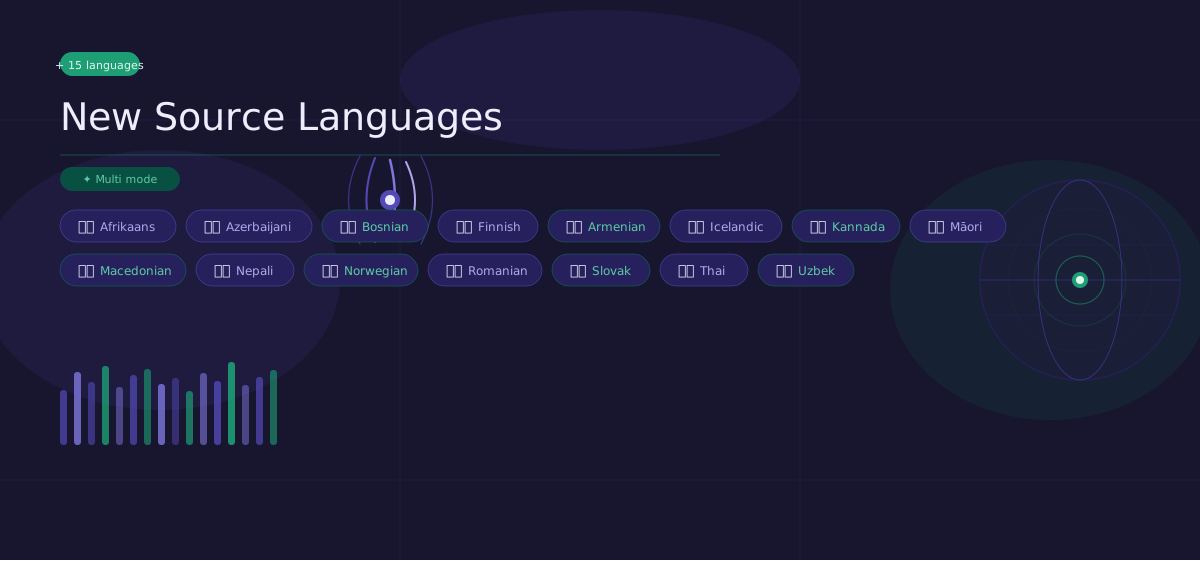
Studio now supports 15 additional source languages:

🇿🇦 Afrikaans
🇦🇲 Armenian
🇦🇿 Azerbaijani
🇧🇦 Bosnian
🇫🇮 Finnish
🇮🇸 Icelandic
🇮🇳 Kannada
🇲🇰 Macedonian
🇳🇿 Māori
🇳🇵 Nepali
🇳🇴 Norwegian
🇷🇴 Romanian
🇸🇰 Slovak
🇹🇭 Thai
🇺🇿 Uzbek

Why it matters
This expands the range of content you can bring into Studio and makes multilingual workflows more flexible.

How it works
Select any of these languages as the source language when your video is in one of them. They are also automatically detected in multilingual content when you choose Multi as the source language.

Earlier updates