Pivot Language
Pivot language is an intermediate step in the localization workflow, allowing content to be processed through a selected language before being delivered in the final target language.
When to Use a Pivot Language
Using a pivot language can be helpful when:
Your original content includes multiple languages.
Translating everything first into a single common language makes it easier for translators to produce consistent versions in the target languages.The source–target language pair is rare.
Routing through a widely supported pivot language can improve quality and availability for less common language combinations.
How to Enable a Pivot Language
When creating a project, enable Pivot language.
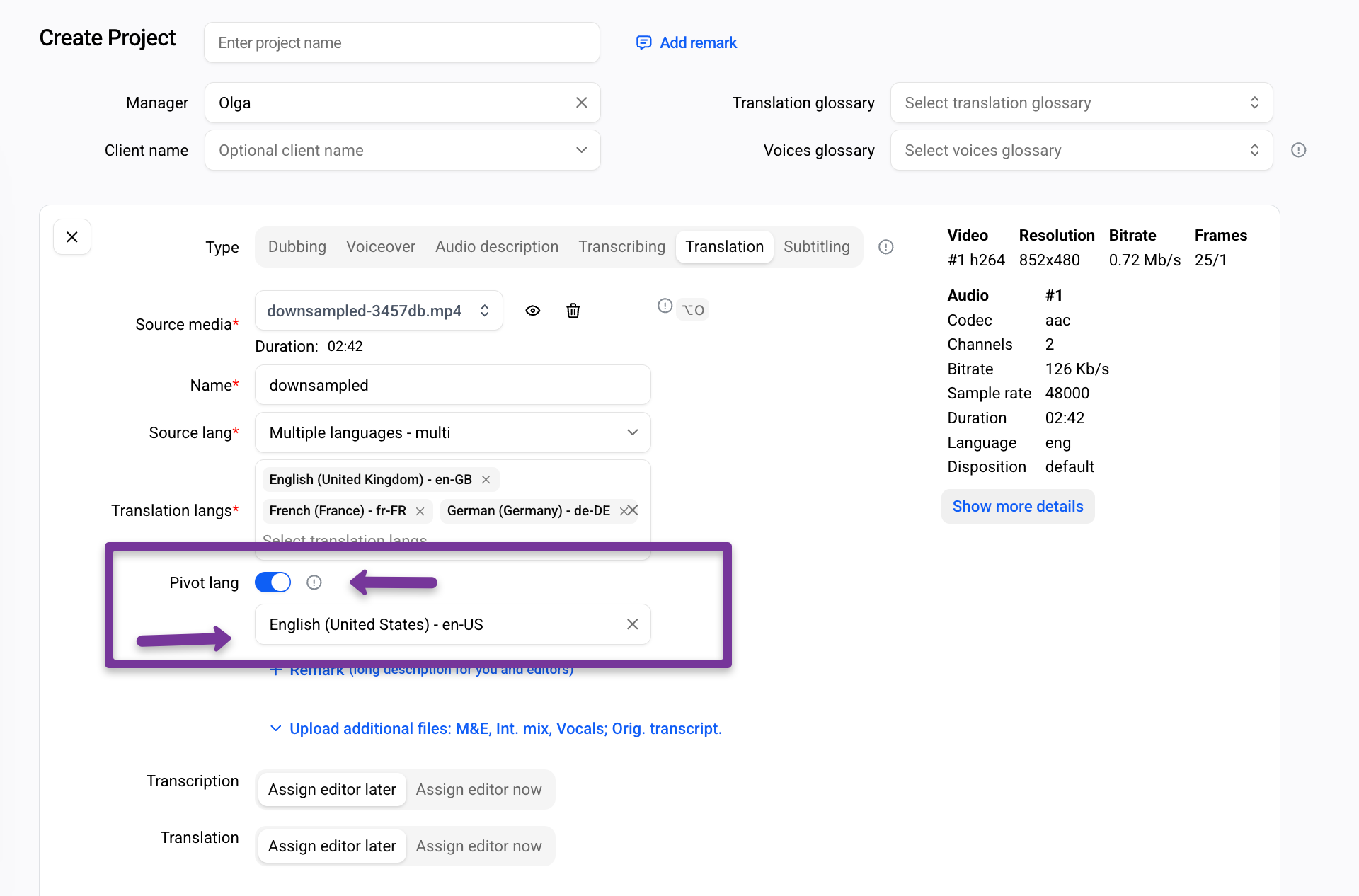
Select the language you want to use as the intermediate step.
Note: If the pivot language is also one of the target languages, select it twice once as the pivot and once as a target.
When a pivot language is enabled, the Transcribing task shows the automatically recognized text on the left and the automatically translated pivot-language version on the right.
The translated text can be edited, replaced by uploading a script, or assigned to an Editor for manual review and correction.
After the work is completed, save the progress and process the changes.
In the following stages Translation, Prooflistening or Lip-sync the pivot language appears as the source language.
FAQ
The original video is in German, but there is a high-quality English script with timings. Target languages are French and Spanish. Is a pivot language required?
No. In this case, it is sufficient to upload the English script when creating the project or during the Transcribing task.The English text from the script replaces the text automatically recognized from German and becomes the source for translation into French and Spanish.