Uploading Custom Scripts in SRT or VTT format
Step 1. Upload the file
Upload your script in SRT or VTT format.
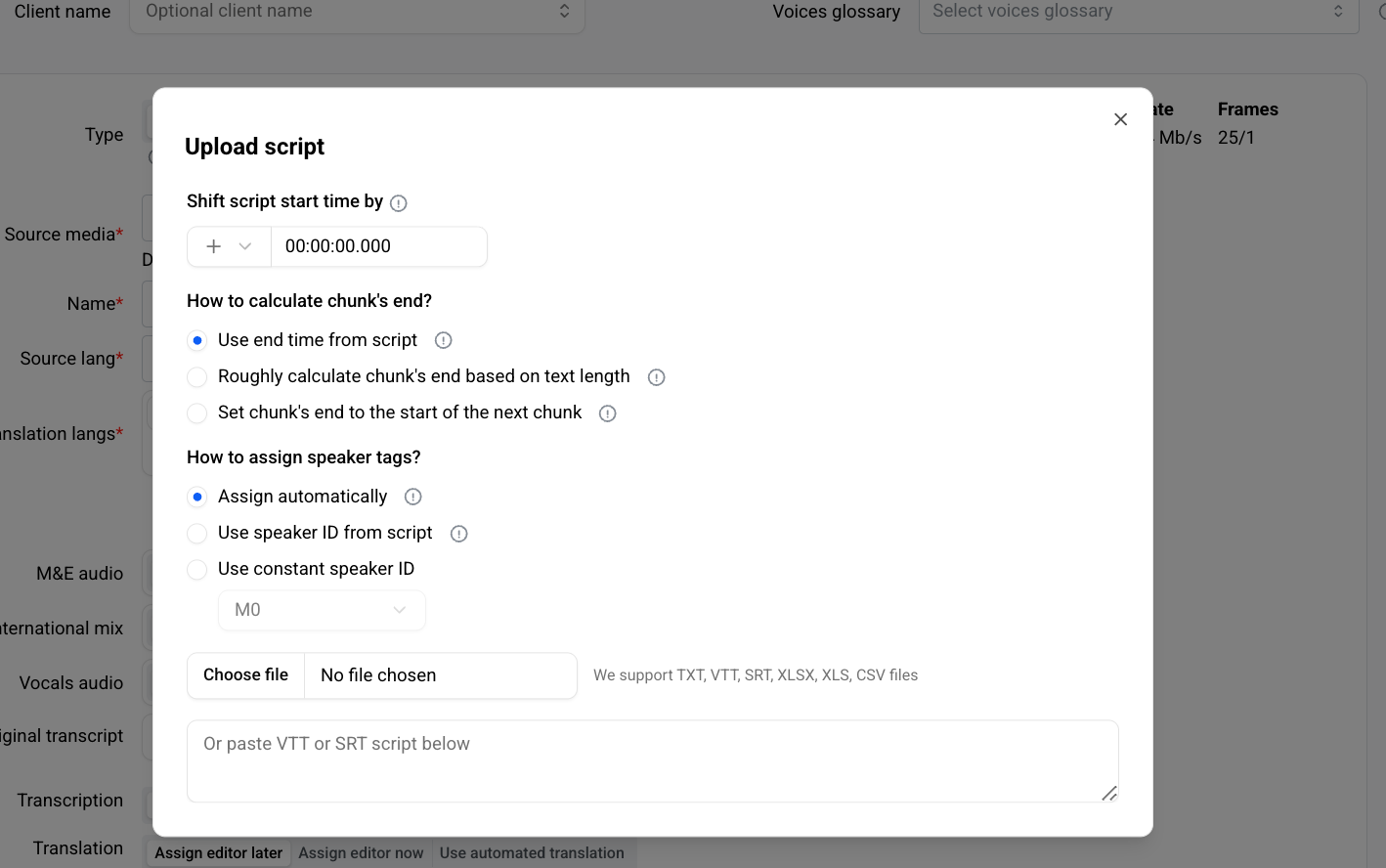
Step 2. Configure import options
Shift script start time by
Use this field if your video contains a pre-roll or delayed start.
All timestamps in the script will be shifted by the specified offset.
Step 3. Choose how to calculate chunk end times
Select one of the following methods:
Use end time from script
Keeps the original end times from your file.Roughly calculate chunk’s end based on text length
Recalculates duration using the text length for better pacing.Set chunk’s end to the start of the next chunk
Each chunk ends exactly where the next one begins.
The last chunk is calculated from text length.
Step 4. Choose how to assign speaker tags
Select one of the following:
Assign automatically
Studio matches chunks to AI detected speakers.Use speaker ID from script
Uses the speaker IDs provided in your file.Use constant speaker ID
Applies one speaker ID to all chunks.
Step 5. Preview the result
Click Preview script to see how the imported script will appear in the project.
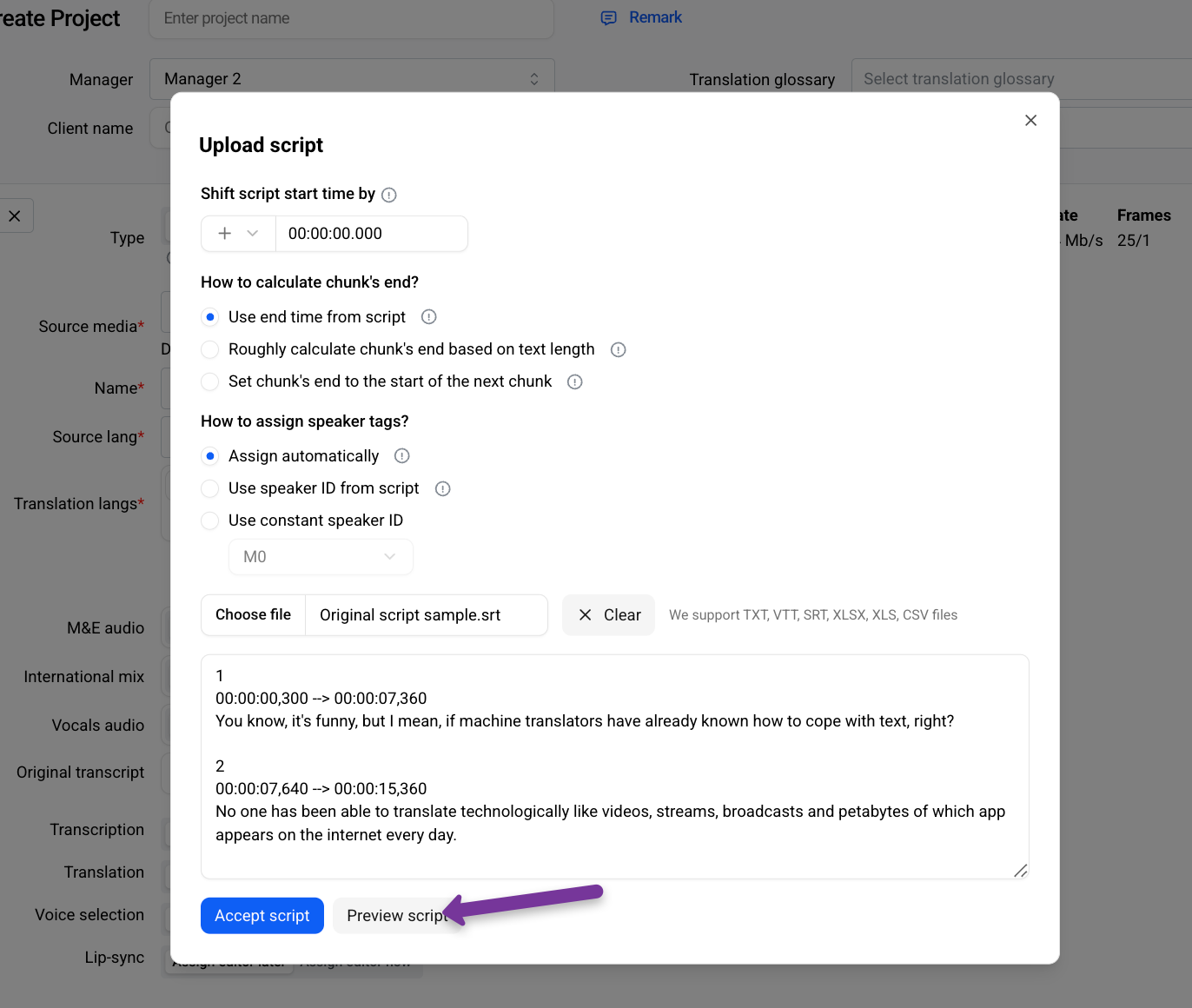
Step 6. Preserve original structure (optional)
If you want Studio to keep the exact timings and speaker tags from your script, enable:
Preserve timings and speakers
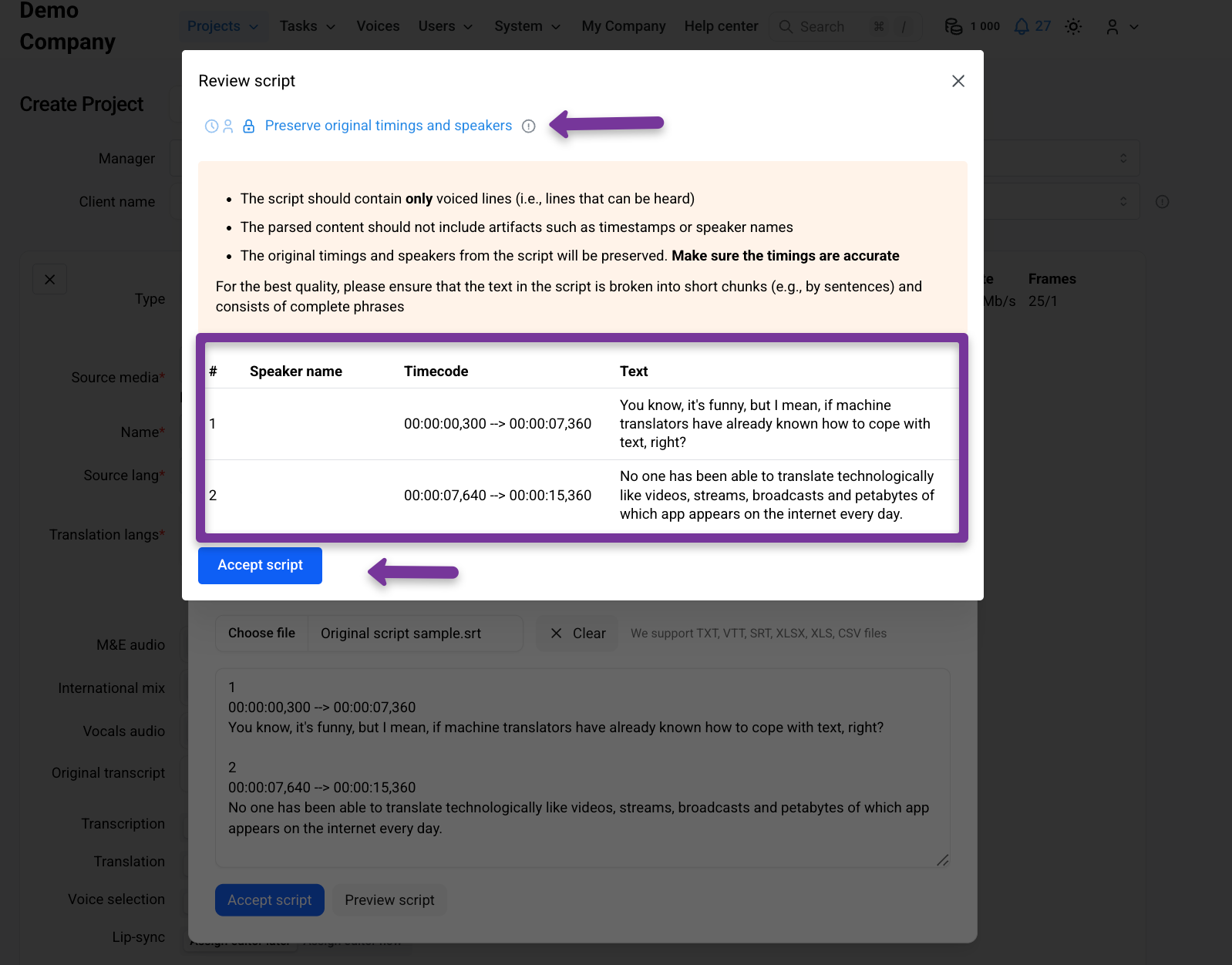
Step 7. Confirm
Review the preview.
If everything looks correct, click Accept.
The script is now imported and ready to be used in the project.